File-Metadata-Extractor for MetaModels
Warning
The File-Metadata-Extractor tool is still in fundraising and will only be released
once the target amount of currently 4,200.00 € is reached.
Early installation via the “Early Adopter Program” is possible — see below
The File-Metadata-Extractor reads so-called metadata from files — metadata is additional information that is “hidden” inside a file. Well-known examples include EXIF and IPTC data, which in image formats such as JPG/PNG contain various information about the time of capture, exposure, camera type, flash, author, geo coordinates, etc. Metadata is also present in text formats such as DOC/DOCX/PDF in the form of author, description, etc. — as well as patient data in digital MRI/CT/X-ray images in the DICOM format.
The tool greatly simplifies data entry for, for example, image and video databases, literature collections, and PDF-format catalogs. Metadata no longer needs to be transferred manually via copy and paste from other programs.
Which metadata is available is determined by the corresponding file format.
With the File-Metadata-Extractor, this specific data can be extracted from a file and transmitted to one or more attribute input fields for storage in MetaModels. Once the data is stored in MetaModels, the standard MM tools such as filters and search can be used.
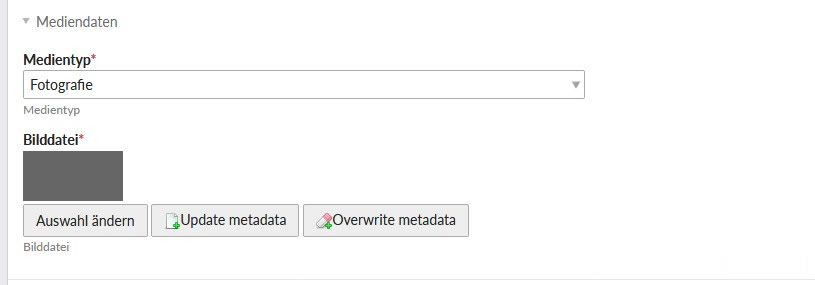
The data transfer happens transparently in the input mask after a file has been selected. Two modes are available for the transfer:
Update metadata: only empty input fields are filled
Override metadata: existing entries are overwritten
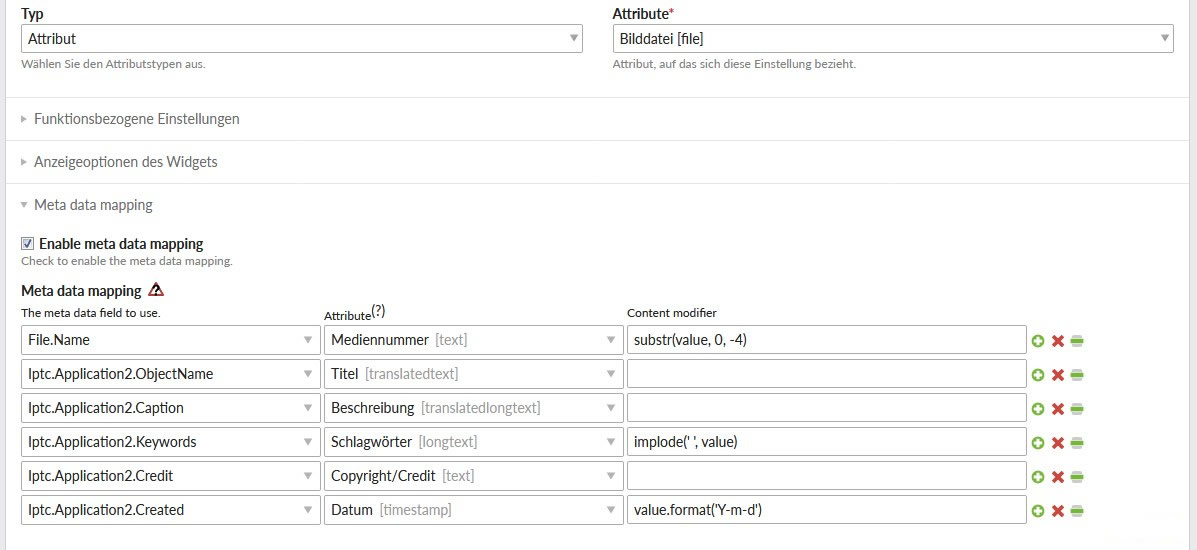
A mapping table is used to specify which metadata field should go into which attribute input field. In each mapping row, a data conversion can also be specified. Currently available are:
substr: for extracting parts of text such as a file extension
implode: for joining array data as a string, e.g. comma-separated
format: for converting date/time values
Early Adopter Program
The project is complete at version 1.0 but is not yet freely available. Refinancing is done via an “Early Adopter Program”, meaning you can use the extension immediately upon payment of a donation. The payment entitles use for one project. Legal claims of any kind are excluded after payment of a donation.
The amount of the donation should be at least €350*1.
Access to the module repositories is granted via SSH public key for installation via composer.
A receipt with VAT stated (or net for EU countries with a valid EU tax ID) will be issued for
contributions.
For interest or further questions, please send an email to info@e-spin.de
*1 Net — plus VAT if applicable.
Installation via Composer
Prerequisites for installation:
MetaModels Core from version 2.1
Supported Metadata
File formats:
jpg
png
Metadata:
Native file information such as filename, MIME type
Exif
GPS
IFD
IPTC
MakerNote
Thumbnail
The module is designed so that additional file formats and metadata types can be easily implemented.
Creating and Configuring the File-Metadata-Extractor
A File attribute must be present for the File-Metadata-Extractor. The settings must be configured so that only one file can be selected.
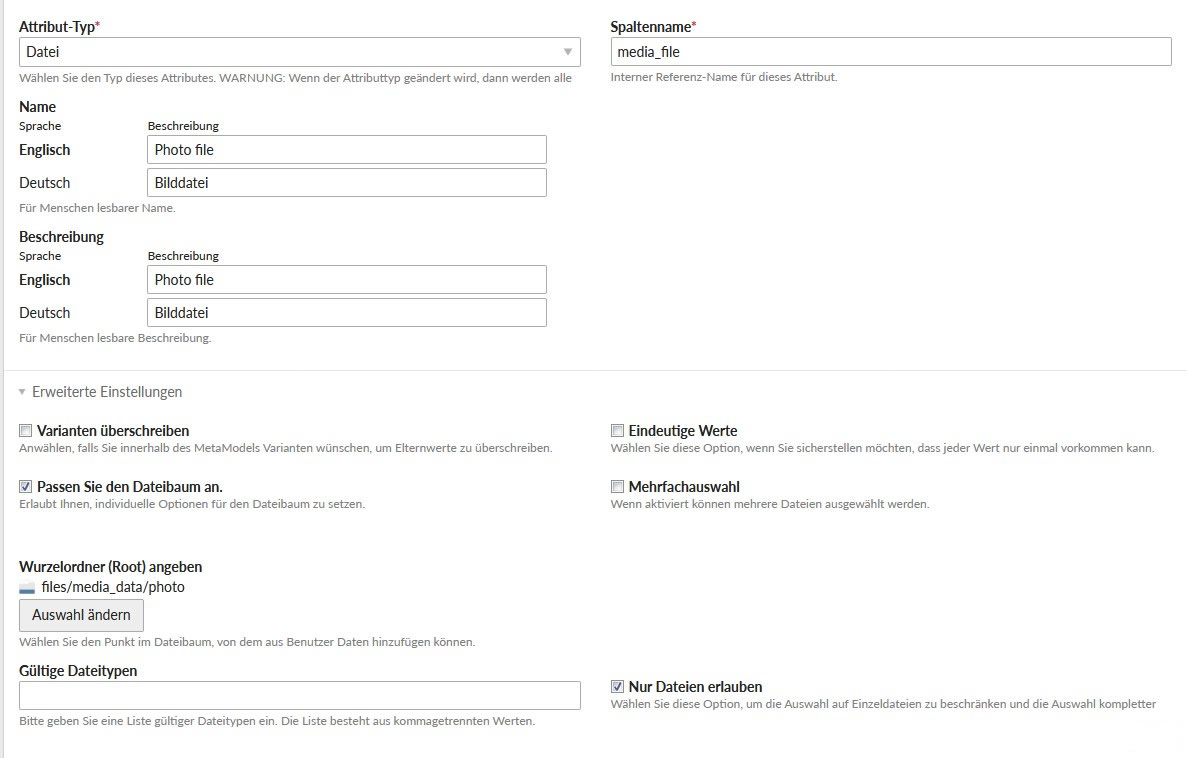
The next settings are made in the input mask settings for this attribute. A checkbox in the settings enables the metadata mapping. In the mapping table, a metadata entry is selected as the source and an attribute as the target for each row. The “Content modifier” inputs can be used to manipulate the values before they are transferred to the target attribute.
In the item input mask, two additional buttons for data transfer to the input fields are now available next to the file attribute’s file selection. When one of the two is clicked, the data is transferred to the input fields and can still be corrected or supplemented. The metadata is only saved in MetaModels once the record is saved.
Donations
Thanks for the donations* for the extension to:
N.N.: 350 €
Liebchen+Liebchen: 1,210 €
Liebchen+Liebchen: 350 €
Liebchen+Liebchen: 450 €
Liebchen+Liebchen: 570 €
Liebchen+Liebchen: 400 €
(Donations are net amounts)