Color Attribute
The “Color” attribute provides an input field for a hex color code as well as an input field for the opacity level. The color code input field also has a color picker. The opacity is entered as a percentage value — e.g. “50” for 50 percent.

Installation is done via the Contao package manager. Enter “metamodels/attribute_color” in the search field and install the attribute.
After successful installation, the “Color picker” entry is available when selecting the attribute type. No further settings are required for the attribute.
The two values — color and opacity — are output in the text and HTML5 templates as text values, e.g. “fafa05 50”.
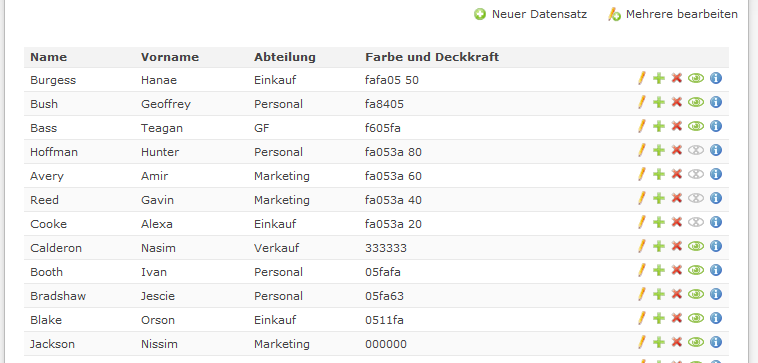
By accessing the [raw] node, both values can be retrieved as an array of the attribute, with key 0 for the color and key 1 for the opacity. These values can be used, for example, to influence a CSS inline style. In the listing screenshot, the template was adjusted accordingly and a “checkerboard pattern” was added as background via CSS to illustrate the opacity level.

Records can be sorted by color and opacity level. Descending sorting goes from color code #FFFFFF (white) to #000000 (black) and from opacity 100% to 0%. Records without a color assignment follow at the end.