Summary and Outlook
By building the first MetaModel, a simple table was created and the fundamental steps for working with a MetaModel were covered.
With the MetaModel “Employee List”, data entry in the backend and output in the frontend are now realized. This is of course only a small part of what MetaModels can do, and even this simple example can be extended further.
Here is a brief list of possibilities:
Change the data structure — put “Department” in its own MetaModel with a relation to the employee list
In the backend, filtering, sorting, and search functions can be added
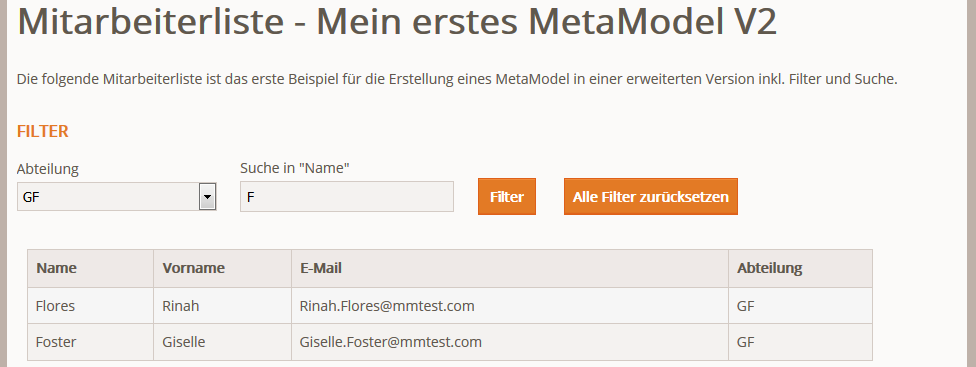
In the frontend, filters, sorting, and search functions could similarly be added
As inspiration, the following two screenshots — one from the backend with a separate MetaModel for departments (changing the “Department” attribute from “Text” to “Select”):

and a view of the frontend with filters and search (employees from department “GF” with initial letter “F”):
The chapter The Second MetaModel covers a more complex data structure, and the chapter mm_special_index addresses individual aspects such as multilingualism, variants, child tables, etc.