jumpTo Picker (Detail Page) for TinyMCE and as dcaPicker
Note
Requires at least MM 2.4
Anyone wishing to use this feature can obtain further configuration
information on request at mail@metamodel.me
TinyMCE
MM has an insert tag that can output the link to the detail page (jumpTo) for a defined render setting — more at Insert tags.
For editors who want to add a link to a specific detail page in the “normal content” of the website, searching for the right insert tag and the correct IDs for the render setting and record can be challenging.
To solve this, a new tab can be defined in the TinyMCE link picker that makes this task easy. A configuration in MM generates such a selection in TinyMCE — see the example in the screenshot.
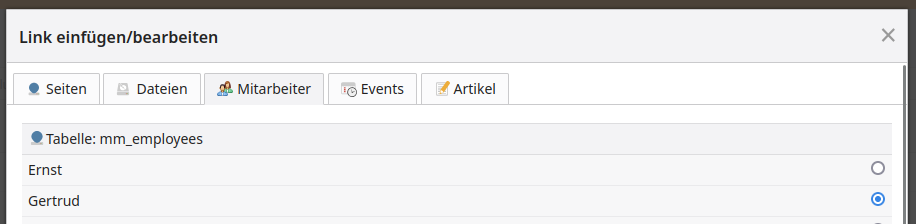
In the configuration, in addition to the MetaModel, the ID of the render setting that generates the URL to the detail page must be specified — usually the render setting for the list view. Optionally, an icon for the tab and a priority can also be specified. The priority determines the position of the tab relative to the other tabs — the higher the number, the further to the left the tab; the default is 0.
Typical Contao priorities are:
Pages: 192
Files: 160
News: 128
Events: 96
FAQ: 64
Articles: 0
In the screenshot example, the MM picker has a priority of 144.
The appearance of the MetaModel in the picker is defined by the render setting configured for the respective user group. Note that when displayed as a table in the picker, only the first attribute is shown (see screenshot).
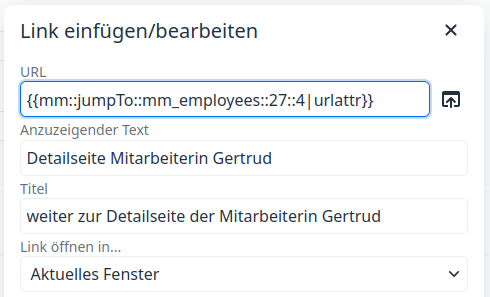
When a selection is made in the picker, the ID of the record (27) is automatically inserted into the insert tag and a URL is output in the frontend.
dcaPicker
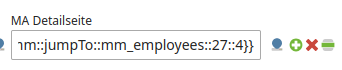
The picker can also be integrated into a custom DCA. This can be done e.g. in
the Multi-Column Wizard Attribute, RS-CustomElement, or a custom DCA
adjustment. A dedicated picker provider is available for this, whose name is
composed of the model table name and the render setting ID in the form
metamodelPicker_<mm-tablename>_<rendersetting-id>. A configuration in the
MCW attribute could look like this, for example:
 1<?php
 2// /contao/config/config.php
 3//...
 4     'col_employee_detail'  => [
 5         'label'     => ['Employee detail page'],
 6         'exclude'   => true,
 7         'inputType' => 'text',
 8         'eval'      => [
 9             'fieldType'  => 'radio',
10             'dcaPicker'  => ['providers' => ['metamodelPicker_mm_employees_4']],
11             'tl_class'   => 'wizard',
12         ],
13     ],
14//...
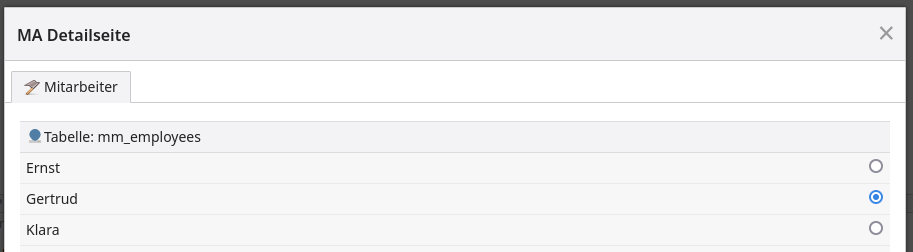
When clicking the picker icon:
Donations
Thanks to the donors who contributed to this feature: